SharePoint Saturday Twin Cities: We’re biggering, but in a good way.

I speak for men, and human opportunities! For your information, you Lorax, I’m figgering on biggering and biggering, and biggering, and BIGGERING, turning MORE truffula trees into thneeds! Which everyone, everyone, EVERYONE NEEDS! (quote from the Once-ler in Dr. Seuss’ famous book, “The Lorax”)

We’re not in the “thneed” market, but we have been dedicated to “biggering and biggering” SharePoint Saturday Twin Cities. Our goal was to expand the variety and number of our sessions, incorporate hands-on labs, include more sponsors and drive up attendee numbers so we can offer more networking and educational opportunities for the Twin Cities market.

When we launched our first SharePoint Saturday Twin Cities event back in March 2010, we were thrilled to have 175 attendees pre-register. It is truly amazing how far we’ve come in only two years. This week–for the first time ever–we have maxed out with 600 registrations for our spring SharePoint Saturday Twin Cities event! While we’re proud of how much we’ve grown, we feel an even stronger need to put on a top-quality event.

To ensure we have enough content (and enough space) to accommodate all our attendees, our April 14th event will include 30 sessions running in 8 different session rooms. We have tracks for Information Workers, IT Pros/Admins and Developers along with a hands-on lab, a SharePoint 101 track and general sessions. We also have almost 30 sponsors committed to answering your questions and providing product/consulting overviews.

We also have a fantastic collection of speakers. These people are incredible. They believe in the power of our SharePoint community and work tirelessly to build top-quality sessions. We have some familiar faces presenting, including Don Donais, Wes Preston, Jeff Willinger, Brian Caauwe, Virgil Carroll, Todd Bleeker, Sean McDonough, Zandy Garrard and Richard Harbridge. We also have some speakers that are new to the Twin Cities venue–including Matthew Ruderman, Mark Rackley, Tasha Scott, Megan Caauwe, Tennille Gruman, Kim Frehe, Tennille Gruman and many more. I’m honored to join this group of speakers, and will be delivering a user adoption session titled “No Miracle Required: Driving Successful User Adoption.” I’ll discuss how you can build a roadmap for user adoption and highlight real-life scenarios that have delivered great results!

I also want to give a shout out to Webtrends, who is sponsoring our Guidebook mobile app for this event. Go to http://guidebook.com/getit/?ref=email to download your guide so you can view the event’s sessions, build your personal schedule, see the list of speakers and sponsors, keep up with the event’s Twitter feed and look at maps of the venue.

And if you haven’t registered for SharePoint Saturday Twin Cities yet, get on the waitlist. It’s an event you don’t want to miss!

http://www.sharepointsaturday.org/twincities

P.S. Here’s a special treat for you Dr. Seuss fans. Enjoy!

Feeling the time crunch?

If you are feeling burned out and overwhelmed, it may be a sign that you’re trying to be too productive.

Confession time: I am a squeezer. I try to squeeze every minute I can out of the day, and am guilty of multi-tasking myself to the point of gross inefficiency. Think you may be the same way? Take a look at this recent blog post from the Harvard Business Review to find out how you can stop the cycle of time management madness:

http://blogs.hbr.org/schwartz/2012/03/the-magic-of-doing-one-thing-a.html

The art of wishing for “Anything You Want”

I’m a tough sell. I’m not into self-help books, don’t watch Dr. Oz, and am generally not looking for unsolicited how-to advice on starting a business, getting on-the-job training or fixing my personal relationships. You can call me reticent or jaded, but I’m not easily moved by the average how-to guide. That’s what makes this blog post unusual. Rather than sharing a specific SharePoint solution or talking about how to calculate your Return On Investment (ROI), I’m dedicating this blog post to a truly inspirational book. So read this blog post. And then go pick up a copy of Anything You Want by Derek Sivers (ISBN 978-1-936719-11-2).

To be fair, I’ve been a Derek Sivers fan for a while. I referenced his “Obvious to you. Amazing to others” video in my Easy. Obvious, even. blog post last fall, and have been meaning to read Anything You Want since then.

Let me start off by saying that this is not a SharePoint book. It’s a compilation of thoughts, ideas and key learnings from the conception, launch, operation and eventual sale of CD Baby. (If you’re not familiar, CD Baby is the single largest web-based seller of independent music. Derek Sivers founded CD Baby as a hobby and grew it to become a $100 million business before selling it in 2008.) Sivers’ experiences with CD Baby are universal, though. In many ways, Anything You Want is the story of how a hobby reached the tipping point–the point when it gained its own momentum and became a product of its enthusiasts. Isn’t this, after all, what many SharePoint enthusiasts and coaches are after? Aren’t we trying to convince our business users of SharePoint’s inherent value and working to build momentum for this platform we all believe can make a critical difference in the way people work together?

So while Anything You Want may not have been written with a SharePoint bent, its message relates to struggles SharePoint coaches/evangelists face every day. Here are 3 key messages I took away from Sivers’ experiences with CD Baby:

  1. “Never forget that absolutely everything you do is for your customers” (page 15). This may sound obvious, but it’s amazing how often we fail to adhere to this basic tenet of customer service. And Sivers’ focus on customer service has a twist. He encourages focusing all your efforts on your current customers. If you thrill them, they’ll spread the word on your behalf, attracting more new customers than you ever could (page 15). Those of you that have seen my presentations know that I often contrast SharePoint with online knowledge bases. While I’m a librarian at heart, I recognize that online knowledge bases are, at their core, never-ending holes of need. No matter how much care and feeding you give them, they will always require emotional propping and vast amounts of evangelism and marketing. SharePoint is just the opposite. If you build compelling SharePoint sites that improve your users’ work lives, SharePoint will market itself. No emotional propping required.
  2. “You can’t please everyone, so proudly exclude people” (page 3). I’m a people-pleaser, so this message is completely foreign to me. But I find it intriguing… Sivers’ point is simple–by confidently stating who you are and who you’re not, you’ll attract the customers you’re looking for. Here’s his business case:

    “Have the confidence to know that when your target 1 percent hears you excluding the other 99 percent, the people in that 1 percent will come to you because you’ve shown how much you value them” (page 23).

    The point is clear–focus on the people who value your time and talent. Don’t stop the train for the nay-sayers, because ultimately they don’t matter.

  3. “Success comes from persistently improving and inventing, not from persistently doing what’s not working” (page 11). This is the silver bullet. If you feel like you are expending a massive amount of energy to push a rock up the mountainside, please stop. Gravity is sending you a message and you are failing to get the point. If you have a vision and the world fails to recognize it and make it a hit, then it’s time to continue iterating and inventing. This doesn’t mean you should scrap your idea. But you shouldn’t keep on pushing it as-is. This video says it all:

Intrigued yet? I recommend going and picking up a copy of Anything You Want. It’s a quick (and valuable) read.

Storyboarding–the quick and the easy

Information architecture is not optional. And in a perfect world we’d all have adequate time for a formalized, thorough information architecture evaluation process at the beginning of each SharePoint solution cycle. But what if you have limited resources and need to provide a quick–yet effective–information architecture review? What are the essential steps you should be taking? This blog post summarizes my quick and easy information architecture/storyboarding methodology. It may take a bit of work to tweak this for your environment and shorten up the evaluation steps, but the framework should give you a good starting point. Enjoy!

We hold these truths to NOT be self-evident…

Before we begin, a couple of universal user truths:

  1. Users (even the well-intentioned ones) will generally take the path of least resistance. They will create content and take the time to store it, but will often opt for familiar folder storage structures. While these structures make sense to the content creator, they are often difficult for others to navigate.
  2. Users will be interested in functionality that can improve their lives. But they often won’t have the time to investigate this functionality on their own. They need information architects and designers to paint the vision. Often I throw out 15 ideas for each individual idea my business users choose to implement. There’s nothing wrong with a 15:1 ratio. The key is to keep offering ideas that will maximize user opportunities. Even if they don’t implement your ideas right away, they will likely circle back to consider some of the ideas again later.
  3. If information architecture is optional, users will opt out. You need a carrot and a stick to get their attention. If you can offer SharePoint planning services free of charge and have a good reputation for delivering top-notch solutions, that will be all the “carrot” you need. If you can require team members to work with you in order to have a SharePoint site or site collection created, you have your “stick.” Again, if this model doesn’t work in  your organization you’ll need to improvise. Just remember to include both the carrot and the stick.

The storyboarding process

I log my projects against the following SharePoint lifecycle stages:

  • Stage 1 (Initial request received)
  • Stage 2 (Storyboarding in process)
  • Stage 3 (Site/function development)
  • Stage 4 (Iterative review)
  • Stage 5 (Launched)
  • On hold (Waiting on business requestor; funding deferred)

Most of these stages are self-evident. Stage 1 begins when a SharePoint request is received. These can be requests for a new SharePoint site or enhancement requests for an existing site. Both “new” and “enhancement” requests follow the same storyboarding process.

First, I set up some one-on-one time with the business requestor. Since I work in the same geographical location as my customers, I have the luxury of setting up in-person meetings. Here’s the agenda I follow for these initial storyboarding meetings:

  1. Introduce my role and explain our SharePoint methodology. This gives me an opportunity to explain how the “carrot and stick” works in my department while also enabling me to explain how our SharePoint site collections are structured.
  2. Ask about their “vision” for the future. This question is intentionally vague. It is intended as a baseline, and won’t be the final vision statement for your SharePoint design. Usually, users will answer this question with a general statement saying they “want a site like Jane Doe has.” There’s nothing wrong with a broad answer here. Capture whatever the customer says and move on to the next step.
  3. Ask what the business need(s) are they are trying to solve. In some cases, users will already have their scope defined. Generally, though, users are confused by this question. Again, don’t worry about a lack of detail in their answer. Capture the response and move on to the next step.
  4. Get details on the current work process, including highlights, pain points and bottlenecks. Here’s where the deluge starts. Many users may have difficulty outlining a scope or vision for SharePoint, but most can wax poetic on pain points and bottlenecks in their common work processes. Encourage them to whiteboard their current pain points and allow them to dive into details. You’ll want to capture the broad strokes of this content and along the way identify opportunities where SharePoint can provide key wins. I try to capture several types of information during this step:
    • Key steps in the current process that can be automated using SharePoint.
    • Key pain points and bottlenecks. These will turn into the critical success factors for the future SharePoint solution.
    • “Soul crushing” work that can be eliminated or automated. These are the wins that will act as change management agents. Eliminate work that everyone hates and you’ll automatically build support for SharePoint
    • A rough percentage of time that can be shaved off the existing work process. This will help me capture a SWAG return on investment (ROI) for this solution.
  5. Get a wish list of things they dream about. Tell them to think big and ask for the world on a stick. Don’t worry about keeping them “in scope”–just capture their answers. (Note that at this point many users won’t have any idea what SharePoint can do so their wish list may shoot too high or too low. Don’t sweat these details.)
  6. Provide a demo of “similar” functionality already launched. At this point, I have a fairly good idea of the pain points and potential SharePoint solutions that could be built. Now it’s time to give the business requestors some idea of the possibilities. I provide a 15-minute targeted demo of existing SharePoint sites/functions that most closely align with their potential needs. For example, if the customer is in dire need of an optimized issue-tracking solution I’ll demo issue trackers with automated email and reporting that are already in use by other teams. If the customer needs help with document retrieval, I’ll demo a content type-based metadata tagging scheme that enables easy document upload/tagging.The key is to demo live sites that are already in use and have granularity levels or functions that mirror what the new customer needs. If you don’t have any existing SharePoint sites that apply, take them on a survey course of SharePoint wins you’ve already delivered for other teams. If this is your first SharePoint project and you don’t have any production sites to demo, start drawing out possible solutions on a whiteboard.The objective is to “blow the lid off” the customer’s expectations and get them “thinking big” about what SharePoint can do. You’ll know you’re hitting the right note when users start getting visibly excited and start tossing out additional ideas for how SharePoint can help optimize their business. Encourage them to brainstorm–the more ideas on the table the better!
  7. Connect them with business owners that are already on their way. You are not objective. Clearly you are enthralled with SharePoint and have a vested interest in its success at your organization. In order to give your customers a fair (unbiased) view, recommend they touch base with other business owners that have already implemented SharePoint solutions. When these other business owners recommend SharePoint (and you), your customers will be doubly impressed.
  8. Revisit the goals and wish list. Before you close out your meeting, revisit steps 3 and 5 to see what your customers updated goals and wish list items are. By this point, your customers should have a much broader list of features and functions they want to deploy. Capture as much of this information as you can. You’ll have the chance to map these goals and wish list items into project implementation phases at a later point in time.

Note that the timing for each of these eight steps is fluid. Depending on the size and scope of your project you may need to allocate 2 hours, 4 hours or even a full working day to get through all these steps. Over time I’ve been able to wean these steps down to a 1-2 hour meeting for small projects (aka projects that result in a 4-40 hour development effort). As the size of the implementation expands so will the amount of design time that is needed.

Also be aware that you may need to schedule follow-up meetings to dive deeper into one or more of these eight steps. Be targeted about these follow-up meetings. The key is to take up as little time as possible for information architecture. If we make the architecture process too painful, users will opt out and you will lose a SharePoint deployment opportunity. 

Once you have enough raw material gathered, start designing your SharePoint vision for success. Tailor your vision to your audience. If your customer is informal and buys into your vision readily, you may be able to meet with them in person and present your vision for the future using whiteboard diagrams. If your customer is more formal or requires executive sign-off, you will need to create wireframes. Consider using Balsamiq (http://www.balsamiq.com/) or another quick wireframing tool to illustrate your vision. The key is to effectively illustrate your vision without taking the time to build out a robust system before gaining customer approval.

Once your requirements are documented and you get management sign-off you are ready to build out the solution!

SHARE conference recap

I had the opportunity to attend and speak at the 2nd annual SHARE conference in Sydney this week. Put simply, this was one of the best events I’ve ever attended. The Eventful Group thought of everything, providing a great venue, outstanding business-centric sessions, fabulous support for all the speakers and great follow-through for all the attendees. A big thanks to Vanessa, Ali, Renee and Jason for making this a fun and memorable event! 

The conference also some of the best SharePoint one-liners I’ve heard. Here are some of my favorites:

  • “When you had a baby, did you budget for food for only the first year? No! Just like kids, SharePoint requires an investment year over year.” — Garth Luke (AvePoint)
  • “Build the fence but don’t scare the herd.” – Joe Snyder (VGT)
  • Definition of a cowboy project: “I’ll start coding. You go find out what they want.”  – Ruven Gotz (Navantis)

I had the opportunity present two sessions at this conference–including my first keynote. Thanks to everyone that attended my sessions! I also had the opportunity to meet a ton of news folks from the land Down Under. These people are engaged and passionate about building out the best SharePoint solutions possible, and I enjoyed talking with all of them. One of the highlights was meeting a fellow librarian-turned-SharePoint-guru. Fabulous! A special callout to Michael Sampson, Andrew Jolly, Paul Culmsee, Deborah Gotz and Michelle Goodwin. Thanks for the laughs, the flowers and the Vegemite! 

I also got to spend time with some of my favorite international SharePoint speakers, including Veronique Palmer, Richard Harbridge, Ruven Gotz, Jerry Smith, Joe Snyder and Ramin Mobasseri. See if you can guess “who’s who” in the Share-feet pic posted below!

For more on the sessions I attended and key lessons learned, see the session-by-session recap below. Pics from the event are included at the bottom of the post.

We’ve Installed SharePoint – Staff Will Just Use By Instinct Because It’s Intuitive (by Veronique Palmer). Veronique did a great job highlighting the need for user adoption strategies and end-user training. She also outlined the need for a SharePoint evangelist to promote business use. Ideally, these evangelists come from inside the business (as opposed to being hired fresh into the role). The evangelist’s existing business knowledge and contacts enable them to maximize influence and have the most widespread impact. Veronique usually finds natural evangelists when they attend her end-user training classes. She then works with the management team to build a formal or informal evangelist job description/role.

Helping Users Solve Business Problems – Not Providing a One Size Solution to Everything (by Scott Thomson). Scott did a great job summarizing his team’s approach to SharePoint 2003, 2007 and 2010. There were 2 important points I took from this presentation:

  1. We need to acknowledge that while we have changed due to being here (at the SHARE conference), we will return to offices where everyone else has remained the same. We need to take what we’ve learned while being aware that we must be the catalyst for change.
  2. Consider leaving some features unsupported instead of disabling them altogether. This will allow some enterprising users to experiment and make use of key features without leaving you on the hook for supporting everything.

Dynamic leadership in a crisis (by Peter Baines). Peter did a great job with this motivational session, highlighting ten key leadership qualities:

  1. Move quickly. You can’t wait to step in until you have all the questions answered and things are well-defined.
  2. Act with sensitivity.
  3. Act with an awareness of cultural diversity.
  4. You need structure.
  5. Don’t overcalculate things. Lead with simplicity. Act with good intent and integrity. Even if you make the wrong decision, you won’t be weak. Don’t fail to make a decision out of fear you may be wrong.
  6. Understand the value of leadership presence. It ensures your teams can’t say that you don’t care or that you don’t know what is happening.
  7. When you want to motivate people, find out what they’re passionate about and buy into it with integrity.
  8. Results, not excuses.
  9. If you want to make long-term change, you have to make a long-term investment.
  10. Courage is in making hard decisions and living with the outcomes.

Building a Robust Framework for Social Networking at Work (by Ramin Mobasseri). Ramin provided great insight into eBay’s enterprise social networking (ESN) initiative. Their motivations were clear–a dedication to better employee productivity and increased employee retention. Their primary use cases for ESN included:

  • Streamlined communication
  • Network with colleagues
  • Find an expert
  • Social learning
  • News streams
  • Broadcasting
  • Social media
  • Idea management
  • Content aggregation
  • Onboarding
  • Microblogging
  • Mentorship

Key functions of their ESN approach include:

  • Two search textboxes on their Intranet–one for searching on people and another for searching “everything else”
  • Development of an iPhone app that enables employees to search on people, events, facility maps and conference rooms
  • Social networking one-stop shopping, including the ability to post a status update on the company Intranet that will simultaneously post updates to Twitter, LinkedIn, Yammer, etc. Very cool!

Cleaning up Decades of Information Sprawl at Santos – From Document Mess to SharePoint 2010 (by Kartic Kapur). The folks from Santos have done some great work retooling for SharePoint 2010 and driving end-user adoption. Some of their key drivers for business engagement included:

  • Recording a video with their CEO to get top-down motivation for SharePoint onboarding
  • Looking for change champions already embedded within the business.
  • Talking with managers to formalize change champion roles. This ensures that champions get time to focus on SharePoint and recognition for their efforts.
  • Holding content migration parties.
  • Hiring new college grads to be extra sets of tagging hands at content migration parties.
  • Creating marketing postcards. (While these cards looked great, they failed miserably. Kartic’s recommendation is to study your corporate culture first and then determine what kind of marketing will work. Don’t just blindly create marketing materials.)

SharePoint Governance Home Truths (by Paul Culmsee). This was my first opportunity to see Paul present, and I was blown away. He gave a flawless presentation that clearly summarized the classical SharePoint governance challenge. He took it several steps farther, however, outlining the “platitude trap” that many SharePoint leaders find themselves mired in. I got so engrossed in Paul’s session I failed to take adequate notes. A travesty, I know…

I Still Haven’t Found What I’m Looking For – Collaboration – The AGL Experience (by Michelle Goodwin). Michelle was one of the funniest and most engaging speakers I saw this week. Just call her “the hammer!”

Effective SharePoint Workshops – From Requirements to Roadmap and Wireframes to Workflow (by Ruven Gotz). As always, Ruven shines! His closing keynote finished the conference off on a high note, outlining key strategies for engaging with end-users and defining effective requirements. Ruven’s mantra is “Simplicity, Simplicity, Simplicity.” The goal is to hear (directly from the end-users) all the requirements during the information gathering process. Then work with the management team to prioritize the requests. Some requests will fall into Phase 1. Some will fall into Phase X while others fall into Phase Never. But the key is listening to and gathering all the requirements. This draws people into the process and ensures they are fully engaged.

Ruven also did a great job highlighting key software tools he uses, including MindManager from Mindjet for mapping out taxonomy/information classification and Balsamiq for building wireframes. Both of these tools have strong visual impacts, enabling you to make the most out of your requirements gathering sessions so you can deliver (and get quick feedback on) your wireframes.

Helping Users Embrace SharePoint: Strategies for User Adoption (by Michael Sampson). Michael did a great job leading this full-day post-conference workshop. He presented a series of jigsaw puzzle pieces you can use to engage your users and build a user adoption strategy. Also included were key guidelines around valuing your SharePoint investment, including an annual satisfaction survey that focused on year-over-year calculations for measuring resistance, tolerance, exploration and advocation.


An amazing opportunity (subtitle: Sydney, here I come!)

I was in La Jolla, California last March, speaking at the 2011 Best Practices Conference. Conference day 1 dawned and I woke up at 4 am with a horrible sore throat. I went back to bed in denial and woke up 2 hours later feeling even worse. Sore throat, head spinning, you know the drill. Eventually I managed to get it together and head down to breakfast. After a bit, Ruven Gotz stopped by to introduce me to Steve Morris. We chatted for a few minutes, got acquainted and discussed some common interestes around information architecture, taxonomies, business process automation, ROI, etc.. We parted ways and had a great conference (despite my cold).

After I’d been back home for a few weeks, I received a call from Steve Morris about speaking at the SHARE conference in Sydney, Australia. I started working with Steve’s colleagues at The Eventful Group and learned what a great job they do organizing these conferences. The team spends months talking to business users to find out what their unanswered SharePoint questions are. They distill all these conversations into a series of target themes for the event and work tirelessly to find the right mix of speakers and topics to address these key themes. The results are amazing, with The Eventful Group winning the prestigious “Best Asia Pacific Conference 2010” award for its inaugural SHARE 2010 conference in Sydney.

The Eventful Group has done it again, building an amazing conference schedule for this November. The upcoming SHARE conference will feature notable experts Veronique Palmer, Ruven Gotz and Richard Harbridge. These folks inspire me to think and do better every day, and I am both honored and humbled to be presenting alongside them. Here are the abstracts for the 2 sessions I’ll be delivering:

Keynote presentation: “Turning the Tide: From Chaos to Clarity”

Has your SharePoint implementation gone rogue? Do you suffer from uncontrollable site sprawl and a lack of business user/site owner knowledge? Do you want to implement a stronger Governance model, but aren’t sure how to get started?

This presentation examines how a large electronics retailer is changing the course of its SharePoint implementation. Gone are the days of unchecked site growth and using SharePoint as just an online file repository. The new focus is on best practices, granular data management, workfl ow automation, using SharePoint as a business process re-engineering tool and documenting ROI (Return On Investment). We are building an array of knowledgeable site owners and site collection administrators that understand the depth and breadth of SharePoint’s feature set so they can guide business users through decisions on when and how to build their sites/site collections.

  • Where we came from and how we evolved our vision of SharePoint success
  • The opportunities and challenges that come from working in an innovation-focused environment
  • How a few individuals with some “different” ideas can change the landscape
  • How we built our plan for change and achieved management and business user buy-in

You will leave this presentation with a clear understanding of where we started and how we’re changing our trajectory. You’ll also walk away with tips and tricks for completing this type of metamorphosis in your own organisation.

Breakout session: “De-Mystifying ROI Calculation for SharePoint”

ROI is a “fancy” acronym for Return On Investment.

While ROI implies success, it usually involves mysterious mathematical formulas that many people can’t see or understand. So how does an everyday SharePoint business owner tackle the ROI puzzle? Do you just “flip the switch” on your implementation and move on? Or are you so busy with post-launch support that you don’t have time to circle back and quantify your results?

This presentation will help you demonstrate the business value for your SharePoint implementation. We’ll examine common ROI calculation methodologies while providing strategies for identifying your ROI niche and quantifying the business value of your SharePoint implementation.

  • A definition of ROI – along with details on how it can change your life!
  • Common methods for valuing your SharePoint implementation
  • Real-life SharePoint implementation examples (along with their resulting ROI)
  • A detailed roadmap for designing, constructing and validating your own ROI methodology
  • Ideas for engaging business users and management 

Want to learn more about the upcoming SHARE conference in Sydney? Visit the web site at http://www.shareconference.com/au/

Don’t miss ScarePoint Saturday!

Ghosts, ghouls, candy…and SharePoint? Clearly not the obvious choice. But who says IT folks can’t have a sense of humor?

ScarePoint Saturday is the fourth in our series of semi-annual Twin Cities SharePoint Saturday events. This fall’s event is scheduled for October 29, 2011 at Normandale Community College in Bloomington, MN.

SharePoint Saturdays are FREE training events designed to provide education and SharePoint-centered networking opportunities. SharePoint Saturday Twin Cities has been growing steadily over the past 2 years, growing from 100 attendees in March 2010 to nearly 300 attendees in April 2011. And while I’m not objective, I think ScarePoint Saturday might just be our best (and largest) event yet!

We still have sessions spanning 3 key tracks:

  • IT Pro/Admin
  • Developer
  • Information Worker

But we’ve also added in some new elements. The SharePoint 101 track will help new SharePoint-ers hit the ground running. From an overview of what SharePoint is and how it can be used to gathering requirements, understanding critical success factors and calculating return on investment (ROI), this track delivers SharePoint success.

The new hands-on lab provides an outstanding opportunity to learn from the best. Mindsharp will be on-site with two of their best trainers and a room full of laptops. If you’re interested in creating reusable workflows or using document set content types in SharePoint 2010, you won’t want to miss Tamara Bredemus’ sessions! And if you need a deep-dive on SharePoint’s Application Programming Interface, don’t miss the hands-on deep dive with Todd Bleeker.

But these are only a few of the 28 sessions we’ll be delivering during ScarePoint Saturday. From SharePoint governance to Office 365 and PowerShell, this event has you covered. For detailed session abstracts and registration information, visit our web site at http://www.sharepointsaturday.org/twincities/default.aspx

So who will you see there?

We’ve got an amazing speaker pool for this event, including Bill English, Todd Bleeker, Shai Petel, Virgil Carroll, Zandy Garrard and many more. I also want to thank some of our speakers that are traveling long distances to attend our event. Ruven Gotz, Richard Harbridge, Chris Geier and Becky Isserman–THANK YOU! We are honored to have you at the event.

We also have the usual suspects keeping things running smoothly. This event could not be held without heroic efforts by Wes Preston, Colleen Haviland, Tamara Bredemus, Don Donais and Raymond Mitchell. We are an eccentric bunch, though. And at Halloween we may start looking like a certain famous family:

So come check out ScarePoint Saturday. We’ll take your tricks, your treats and your SharePoint questions. Attendees will also score a limited-edition ScarePoint Saturday t-shirt (model not included).

20111013-064141.jpg

Helpful links:

SPC11 – The progressive blog post

In about 48 hours I’ll be boarding a plane to head to Anaheim, CA for Microsoft’s SharePoint Conference 2011. Next week won’t feature much sleep, but it will include some great presentations and the chance to reconnect with old (and new) SharePoint folks. What I’m looking forward to most, however, is the energy of the event–the excitement and the enthusiasm of people who are willing to look at technology in new ways.

Rather than doing a conference recap after I return home from the event, I’m going to do a progressive blog post during the course of the week. Here’s the opening entry:

Friday, 9/30 (conference countdown)

Fred Baer, Matt Ruderman and I locked down the last changes for our SPC presentation this week. We’re presenting on Thursday, 10/6/2011 from 10:30 – 11:45 am. The title of our session is “True Business and IT Partnership: Best Buy Governance and SharePoint 2010.” Our session tells the story of SharePoint at Best Buy–where we came from, the challenges we’ve faced and how we’re succeeding. We’re passionate about what we do, and hope you all enjoy the session!

I’m also trying to square away some of the evening events for next week. I’ll likely be attending events hosted by RBA Consulting, Metalogix, K2, etc. as well as going to the Disneyland event on Tuesday night. Don’t tell my kids!

Sunday, 10/2 (travel to Anaheim)

Yep, we may have been cursed. Everything looked good when we got to the airport and onto the plane, but a missing “radio 2” (whatever that is) prevented us from leaving on time. After sitting on the plane for nearly 3 hours, we were asked to deplane. The initial word was bad–no open seats on any other flights to Los Angeles until Monday. Fortunately, we were able to get on a Sun Country flight to San Diego. Unfortunately, my checked bag was still on the plane headed for Denver–which was now rolling back from the gate!

Thanks to a quick yell from me (and a quick-thinking Frontier agent), they were able to stop the plane long enough to find my bag. We retrieved my bag from baggage claim and jumped on the light rail over to the other airport terminal to catch our backup flight. We’re feeling optimistic at this point…..we’re going to make it! And then we get to the Sun Country ticket counter and find out that our newly-bought tickets haven’t cleared the security hurdles yet.

We get that squared away and we’re off to go through security again. By the time we got to our second gate we’re tired and hungry. And then they announce that our plane hasn’t arrived yet so we’ll be facing a small delay. Ugh!

Finally, we take off at about 3:45 pm. This is only 5 hours after our first flight was scheduled to depart. The flight to San Diego was uneventful, though. We got our bags and our rental car, and we were on our way to Anaheim! Three hours (and miles of bumper-to-bumper traffic later), we pull up to the Anaheim Hilton just in time to register before the 9 pm cutoff. All in all, we made a 8 hour trip in just over 14 hours.

The biggest disappoint was missing the SharePoint Salon dinner tonight with Ruven Gotz, Sue Hanley, et. al. Sigh.

Monday, 10/3 (conference opener)

After a short few hours of sleep, we’re up and ready to kick things off today. They did a great job kicking off the keynote. They talked about SharePoint’s growth as a platform, pointing out that if SharePoint were Microsoft’s only product they’d still rank in the top 50 software providers in the world. (Cool stat.) Jared Spataro also shared some love with the broader SharePoint community, calling out the grassroots SharePoint user groups and SharePoint Saturday events being held worldwide. It’s great to see the support Microsoft is giving these events. The remainder of the keynote included some cameo comedic appearances by Florence Henderson, Alan Thicke, Carmen Electra and Luke Perry as well as customer vignettes highlighting how Spacex and eBay are using SharePoint.

The rest of the day went well. I attended 2 sessions:

  • Karuana Gatimu’s “Oranges, Rocket Ships and Six Pack Abs – What your SharePoint Corporate Portal is lacking”
  • Tricia Mercaldo’s “How Turner Broadcasting System Turned On Employee Engagement with SharePoint 2010.”

I particularly like the Turner session. They did a good job showing how they’ve built temlate solutions for a diverse set of business groups. They’ve also built a well-rounded SharePoint team from scratch. And rather than going out and hiring SharePoint experts they’ve taken internal candidates and taught them SharePoint. Interesting approach, and it is clearly working for them.

Tonight featured a Microsoft event at Tortilla Joe’s in Downtown Disney. I got to spend time with folks from Hallmark, Thrivent Financial, 3M, Medtronic, Ameriprise, etc. and discuss SharePoint, wikis, ROI calculations and SharePoint Saturday. Great learning opportunity!

Tuesday, 10/4 (conference day 2)

I was up early again today, gearing up to attend several sessions. Of particular interest was Susan Hanley’s session on “Measuring the Value of Your SharePoint 2010 Investments.” All too often, we fail to loop back to our launched SharePoint projects and evaluate their worth. Susan presented a compelling case for doing the leg work and building your SharePoint valuation model while also providing a set of guidelines for getting started. I also love Susan’s “Don’t take it away” metric. She recommends sending your end-users a survey that (among other things) asks users whether the new SharePoint solution should be kept in place. If more than 66% of the user base answers “yes” to the “don’t take it away” question, you have a solution that WORKS and should be measured.

Want to know more? Check out Susan’s web site (http://www.susanhanley.com/) and download a copy of her new white paper “A Practical Framework for SharePoint Metrics.” It provides a deep dive on all the elements discussed in today’s session, from collecting user stories to recording serious anecdotes with dollar-value punchlines.

I attended several other sessions today as well. Here are some of my favorite sound bites:

  • “Is your SharePoint balloon out of control?” (Dave Martin, SPC109)
  • “Your organization doesn’t have a test farm? No. You don’t have a production farm” (Dan Holme, SPC224)
  • “User adoption is not always equal to measured success” (Susan Hanley, SPC248)
  • “You don’t want to be working on a sideshow project. You want to be part of the main event” (Susan Hanley, SPC248)
  • “What have you done for me lately” (Susan Hanley, SPC248)
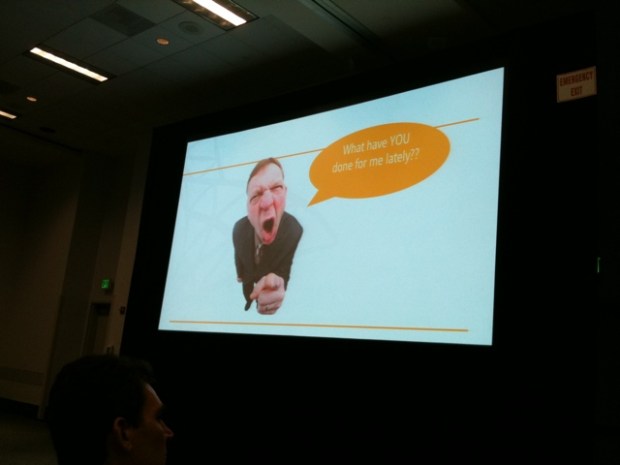
20111007-222126.jpg

After a full day of attending sessions and learning in the hands-on lab and exhibit hall, it was off to dinner at Morton’s Steakhouse and on to the evening event at Disneyland. My only mistake was going on Splash Mountain too early in the evening. Even folks from Minnesota get cold walking around Disneyland soaking wet in 55-degree weather!

20111007-222916.jpg

20111007-222958.jpg

20111007-224809.jpg

Wednesday, 10/5 (conference day 3)

I was thrilled to be able to catch up with Don Zielke from AEP over breakfast this morning. Don and I met at the 2009 Best Practices Conference in Reston, VA. He is an incredibly smart SharePoint-er and someone I’m privileged to know!

After breakfast, we headed to Nikos Anagnostou and Lesly Goh’s session on “Best Practices from the field: Managing corporate metadata and taxonomies with SharePoint 2010.” Being a librarian and taxonomy fanatic, this session was right up my alley. While I can’t begin to share all the great information covered in this session, here are some of my favorite bits:

  • Use of card sorting and taxonomy arrangement exercises to aid in the building of initial taxonomies
  • Taxonomy design best-practices (including the need to start shallow with 2-3 layers):20111007-224914.jpg
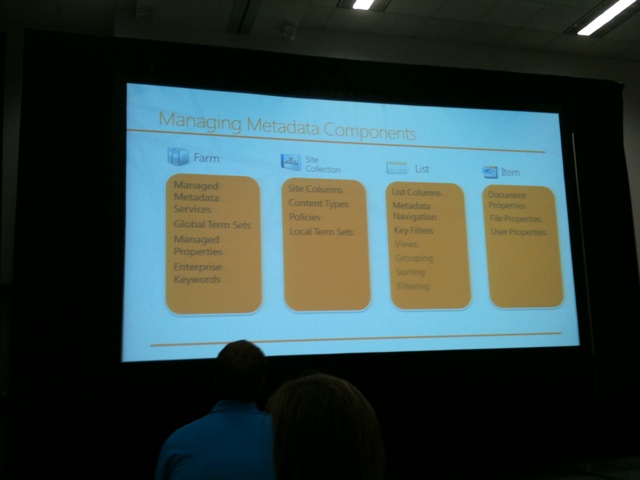
  • Breakdown of managed metadata components in SharePoint 2010:
    20111007-224838.jpg
  • Overview of taxonomy benefits & best practices:
    20111007-224856.jpg

I attended a couple of other sessions Wednesday afternoon, including SPC230, where Sindie Henson-Pugsley gave an overview of Hallmark’s new Retail Connect site. They were able to complete a site redesign in an abbreviated window, complete with information architecture, site design, distributed security trimming, etc. I was most impressed with Hallmark’s attention to content ownership, however. According to Sindie, every piece of content on Hallmark’s Retail Connect site has an owner, a content lifecycle, a primary home and a set of standards.

Wednesday night I attended RBA Consulting’s event at Ralph Brennan’s Jazz Kitchen in Downtown Disney. They had a great mix of attendees, including folks from Cargill, 3M, Best Buy, Polaris, etc. I was able to do some networking and talk with Jared Spataro about our upcoming ScarePoint Saturday on 10/29. Sweet!

I capped off the evening with a stop at the ESPN Zone for SharePint, catching up with Jennifer Mason, Don Zielke, Raymond Mitchell, Mark Miller and Sean McDonough. Sean is one of my favorite SharePoint folks (and a speaker we want to have back for SharePoint Saturday Twin Cities), so it was great to catch up.

Thursday, 10/6 (conference day 4)

Today was the BIG day–our Best Buy session (SPC297) was up at 10:30 am. We had a packed room and some excellent questions from the audience. Here’s a quick overview of the details covered in our session:

  • Best Buy culture (including our key passions, what drives us, and how that impacts our approach to SharePoint)
  • The good, the bad and the ugly of our experience with MOSS 2007
  • Future state: the vision, the strategy and the decimation of file repositories with SharePoint 2010

There was a plethora of tweets during our session (hashtag #spc297). Here are some of my favorite quotes:

  • “SharePoint 2010 is a big carrot and stick that drives governance” (@avisuj)
  • “We learn more from what made you say “Duh! Can’t believe we did that” in your case study. Thanks, Best Buy” (@mikegil)
  • “There are 3 ways to implement SharePoint: Invasion, Infiltration or Both”
  • “Sometimes you don’t need Stonehenge. Styrofoamhenge will do”
  • “Just like you can’t tell someone their kids are ugly, you can’t tell them their file repositories are going away”

I believe Fred Baer wins the award for the most-quoted speaker at SPC11. He is the master of legos, styrofoamhenge and not telling people their kids are ugly. I so enjoy working with you, my friend! Another huge callout to Matt Ruderman, Howard Friedman, Avi Sujeeth and our Best Buy Canada folks for their company on this journey. It was a fantastic experience!

Once the conference was over, it was time for some much-needed downtime. I had a fantastic dinner on the patio at Tortilla Jo’s with Tamara Bredemus, Sarah Oakland, Angela Spores, Don Zielke and Melanie Zakariasen from Medtronic. After some shopping, dancing and drinks at the House of Blues, it was time to pack and get ready to come back home.

Friday, 10/7 (the “we don’t want a 14-hour trip home” day)

So Wes Preston likes to arrive at the airport early. And he likes to make sure the suitcases are packed into the shuttle “correctly.” These are only a couple of new things I got to learn on this trip 🙂 Fortunately, our trip home was anticlimatic. Everything went as expected and we touched down in Minneapolis at 6 pm on Friday night.

I can’t begin to call out everyone that I was excited to see at SPC11, but let’s start with Veronique Palmer, Ruven Gotz, Sean McDonough, Lori Gowin, Mark Miller, Susan Hanley, Don Zielke, Jennifer Mason, Laura Rogers, Joel Baglien, Chris Geier, Bill English, April Wyland, Tamara Bredemus, Sarah Oakland, Richard Harbridge and Jay O’Hara. Looking forward to seeing you all again soon!
20111008-175040.jpg


20111008-175056.jpg

20111008-175132.jpg

20111008-175248.jpg


20111008-175330.jpg


20111008-175345.jpg


20111008-175400.jpg

20111008-175629.jpg

20111008-175655.jpg

20111008-175713.jpg

Easy. Obvious, even.

So I have this pattern. I get an idea, implement it and then think “Hey, this is so obvious. Why haven’t I done this before?” Looking back now, I can see that 3 or 4 of these “patterns” have significantly shaped my trajectory through life. No, they haven’t led to personal epiphanies about how to deal with complicated family issues or led me to the perfect parenting principles. But they have led me to make some changes in my work and in my thoughts about work. And these changes have made all the difference.

But then I look at these “patterns” and think, these are so obvious. So elementary. How can such “obvious” ideas generate such a fundamental shift in my universe? Thanks to Derek Sivers, I now have a good answer to these questions. But first, let’s examine some of these watershed moments.

I was every parent’s nightmare. The bright kid floating through college with a commitment problem. Oh, I could pick a major. The problem was staying committed. And graduating with a degree. My parents went along with this trend for the first 3 years, but eventually they’d had enough. And since I was skating through college on their dime, I can’t say I blame them. So here I was, looking through the student course guidebook for inspiration. (And yes, I’m old enough that the guidebook was a book. No jokes please.) I found a field of study I’d never seen before–technical writing. And I thought, how hard can this be? I can write. I’ll just write about technical things. So I took an introductory class. And the class was easy. Obvious even. So I went to my professor to see what I was missing. Dr. Wilma Clark gave me some of the best (and most elemental) advice I’ve ever received. “If it seems obvious to you, then you’d better do it.” I left her office and declared a new major. Technical writing led me to my college internships and my first job. And it has served as an outstanding foundation for everything that has come later. Even if it did seem obvious.

Flash forward 8 years. I’ve been working for an enterprise-resource planning (ERP) software company creating documentation. I’ve created manuals, online help and training guides, but I was getting tired of creating the same content in a variety of formats. Enter JoAnn Hackos and the “new” idea of Single Sourcing documentation. Single sourcing is all about writing content once and re-using at the point of implementation/need. So rather than writing content in book format, write it in granular concepts that can be strung together to create books, online help or whatever else you need. This “single sourcing” principle led me to think about my work differently and connect with others in my field in a new way. And I said – hey, this is easy. Obvious even. With JoAnn Hackos and my mentor Roz Tsai’s help, I started sharing our single sourcing story with others. I spoke at conferences, taught seminars and found a new passion for training and connecting with people.

Skip ahead another 6-8 years and I have an idea for using SharePoint in a new way. I want to build SharePoint sites that help people automate their manual processes. I want the sites to rely on SharePoint lists rather than just document libraries. And I start coercing people into going through an information architecture and content review process prior to creating a SharePoint site. All this worked pretty well, but then my boss and I had a stroke of genius. What if we calculated the return on investment (ROI) on these sites? If I looked at how long a process took before SharePoint entered the picture and then looked at how much process time I’d saved with SharePoint business automation, I could calculate how much of a difference I’d made. So I calculated ROI on my first SharePoint project. And it was easy. Obvious even. But after sharing my ROI calculations with others, I discovered how unusual this kind of ROI evaluation was.

There are many more examples, but they all follow the same trend. I stumble onto something (often without much original thought on my part) and think “hey, this is easy. Obvious even.” And I scratch my head, trying to figure out why I’m not surrounded by others thinking the same thing. I never assume that I’m on the leading edge. Quite the opposite, I assume I’m the thought laggard. But then a few weeks ago I saw a YouTube video that explained it all. It is Derek Sivers’ video “Obvious to you. Amazing to others.”

This video is about me and the way I think. I’m guessing it’s about you, too. Take a look.

Want to see more of Derek Sivers’ deep thoughts? Check out his site (http://sivers.org/) or follow him on Twitter (@sivers).

SharePoint Saturday Chicago recap

I’m just back from a great SharePoint Saturday event in Chicago. It was a whirwind weekend–but so worth it! We had a fantastic group of speakers, including Robert Bogue, Cathy Dew, Paul Schaeflein, Virgil Carroll, Todd Klindt, Raymond Mitchell, Wes Preston, Richard Harbridge, Ruven Gotz, etc. I also had the chance to meet some new folks, including Jason Gallicchio and Jeff Shuey.

The highlight for me was the success of our 101 track. Wes led things off with his “What is this thing called SharePoint?” session. He did a great job setting the stage and explaining how SharePoint can do a wide variety of things, but that it needs to be implemented in a clear crawl, walk, run manner. Richard Harbridge came up next with his session on future-proofing SharePoint. He brings a tremendous amount of knowledge and energy to all his work, and I loved getting the chance to see him in action! After lunch, Ruven took over the track. He dived into requirements gathering, the information architecture process and mind mapping/taxonomy building–all in 75 minutes. I’ve seen Ruven present several times, but I felt like a newbie soaking up information in his session. Great stuff! My session on ROI and “real” business use cases wrapped up the track. Attendees had a lot of great questions, and the session ended quickly (but with 30 seconds to spare).
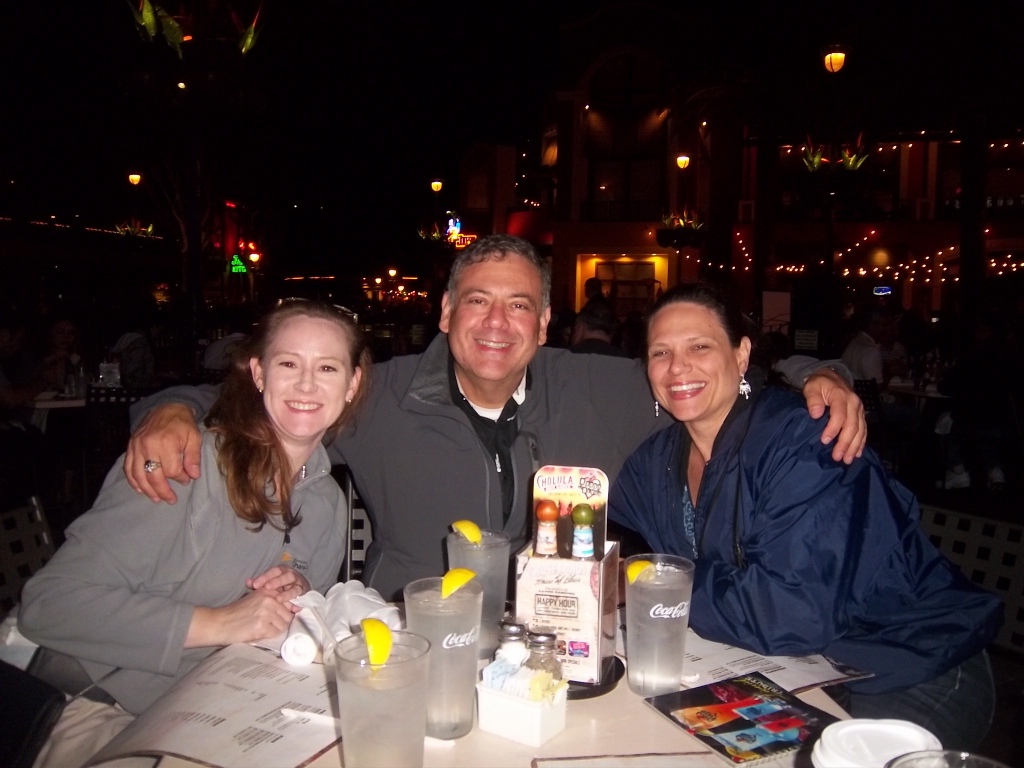
After the event, we had SharePint at Quigley’s, sponsored by Rackspace. We had 20-30 attendees make the afterparty–great fun! I also got to enjoy a slice of Chicago deep dish pizza with Virgil, Ruven, Richard and Jason afterwards. All in all, a fantastic weekend. Thanks to Chris et. al.  for all their hard work organizing their event. You did a great job!
This slideshow requires JavaScript.